Cloud computing explained for Nigerian business owners
Cloud computing in Nigeria is not just for banks. See what to move first, what it costs in naira, and how to cope with NEPA and expensive data.
 Dan Audu
Jun 11, 2026
24 min read
Dan Audu
Jun 11, 2026
24 min read

In this article14 sections
- What is cloud computing in Nigeria, in plain English?
- Why cloud computing matters more in Nigeria than in London
- What to move to the cloud first, and what can wait
- The main cloud providers and where the Nigerian options fit
- How much does cloud computing in Nigeria cost?
- Cloud or your own server in the office? A fair comparison
- What if the internet is slow, expensive or down?
- How different Nigerian businesses use the cloud
- Cloud security and the Nigeria Data Protection Act
- A four week plan to move to the cloud
- Four cloud mistakes I see again and again
- Key takeaways
- Frequently asked questions
- Next step: get a cloud plan that fits your business
Cloud computing in Nigeria sounds like something for banks and telecom companies, right up to the day your only computer dies. Chinedu runs a busy pharmacy in Garki, Abuja. Last rainy season a lightning strike hit the transformer on his street. The generator kept the lights on, but the power surge killed the old desktop that held his stock list, his customer credit book and three years of sales records. His shop went back to paper for nine days while a repair engineer tried to save the hard drive. Two weeks later his cousin Emeka, who sells phone accessories in Port Harcourt, had his laptop snatched at a bus stop. Emeka was back at work the next morning. He bought a cheap replacement, typed in his password and everything was there.
The difference between those two stories is not money or brains. Emeka’s work lived on powerful computers owned by somebody else, kept in a proper building with backup power and cooling, and he reached them through the internet. That is all “the cloud” means. It is not a magic sky. It is other people’s computers that you rent, instead of buying and babysitting your own.
I am Dan Audu. For eight years I have built websites, CRM and ERP systems, POS setups and office networks for businesses in Abuja, Lagos and other cities, and I have seen both kinds of story many times. In this guide I will explain cloud computing in plain English, show you what is worth moving first, tell you what it costs in naira as at 2026, deal honestly with NEPA and expensive data, and give you a four week plan you can follow. I will explain every technical word in brackets the first time it appears, and I will not push you to move everything.
What is cloud computing in Nigeria, in plain English?
Cloud computing means using computing power, storage space and software over the internet and paying only for what you use, instead of owning it all yourself. When you open Gmail, save a photo to Google Drive, or check your Paystack dashboard, you are already using the cloud. The only question is how much of your business should follow.
The shop analogy
Imagine you want to sell fabric in Kano. You can buy land and build your own plaza. Then you must pay for the roof, the security men, the generator, the water and the repairs, and if the building floods, that is your problem. Or you can rent a shop in an existing market. The landlord looks after the roof, the guards and the power. You pay rent and focus on selling.
Owning a server (a strong computer that stores your data and runs your software) in your office is like building the plaza. Using the cloud is like renting the shop. Aisha, who sells lace in Kano, does not want to be a landlord. She wants her customer list safe and her invoices available on her phone. The rented shop suits her better.
The three layers: SaaS, PaaS and IaaS
People throw these short words around, so here is what they mean with examples you know.
- SaaS (software as a service): software you simply log in to. Gmail, Microsoft 365, Zoho Books, the dashboard where you see your Flutterwave sales. You do not install or maintain anything. Most small businesses live here.
- PaaS (platform as a service): a ready-made place where a developer uploads an application and the provider handles the machines underneath. You will rarely buy this yourself, but your developer may use it to host your app.
- IaaS (infrastructure as a service): raw rented computers, storage and networks, such as an Amazon Web Services or DigitalOcean server. This is where custom software often runs. You need a technical person to manage it, or you pay a partner to do so.
Public, private and hybrid cloud
A public cloud is a big provider’s shared system, where thousands of customers are kept apart by software. A private cloud is a set of machines used only by one organisation, which is what some banks and government bodies prefer. A hybrid cloud mixes the two, or mixes cloud with a computer in your own shop. For most Nigerian SMEs the sensible choice is public cloud, with a small local device where speed or power cuts demand it. I will show you an example of that later.
Why cloud computing matters more in Nigeria than in London
Cloud advice is usually written for countries with steady electricity and cheap, fast internet. Our situation is different, and in some ways that makes the cloud more valuable, not less.
Power, heat and hardware
Think about what a computer goes through in a typical Nigerian office. Light goes off and comes back with a surge. The generator starts. The extension board is overloaded with a fan, a printer and a kettle. The room is hot because the AC is off to save diesel. Hard drives hate this. A professional data centre (a building built to hold servers) has batteries, several power sources, cooling, fire protection and staff on duty day and night. The computer under Chinedu’s desk had none of these.
Theft, fire, flood and honest mistakes
Laptops are snatched in Lagos traffic. Offices get broken into in estates in Abuja, Kubwa and Lugbe. Markets have fires. A staff member spills tea on the only laptop that holds the accounts. When data lives only on one machine, any of these events can be the end of a good month. When data lives in the cloud, the machine is just a window. Break the window, buy another one.
Spread out teams, japa and staff changes
Your sales rep is in Kaduna, your accountant works from home in Ibadan, and your best developer just emigrated (we all know the word: japa). If your files sit on one office computer, everyone must copy them by WhatsApp. If your files sit in a properly set up cloud account, each person sees what they should see, and when someone leaves you remove their access in a minute. I have seen a business owner spend two weeks chasing a former employee for a password. That does not happen when accounts are set up properly.
The naira problem, honestly
Most global cloud services charge in dollars. When the naira weakens, your bill rises without you doing anything. Getting a card that works for dollar payments can also be a headache. I will not pretend this is small. Later I will show how to reduce the pain: annual plans, Nigerian hosts that bill in naira, and a budget with a buffer.
What to move to the cloud first, and what can wait
You do not have to move everything in one go. Start where the pain is highest and the risk is lowest. My order for most clients is email and files first, then sales and stock records, then the website, and lastly the heavy or special systems.
Files, email and documents
This is the easiest win. Google Workspace or Microsoft 365 gives every staff member a business email address on your own domain (for example [email protected] instead of a Gmail address), shared folders, calendars and video meetings. I wrote a full guide on why to stop using free Gmail for your business email. A 14-person school in Kaduna moved to shared folders in a single weekend and stopped emailing “final_final_v3.docx” to each other.
Sales, stock and accounting records
If your customer list is in Excel on one laptop, or your stock is in an exercise book, this is your next move. Cloud software for sales, CRM (customer relationship management, the system that remembers every customer and every deal), stock control and accounting means the owner in Lagos can see the Abuja branch’s sales from her phone. Pick tools that work offline for the moment the network fails. A supermarket till must never stop because the internet stopped.
Your website and online shop
A website is already “in the cloud” because it lives on a hosting server. What matters is the quality of that host, the backup and who owns the login. Too many businesses find that their website is registered in the name of a developer who has stopped answering calls. Make sure the domain and hosting accounts are in your name.
Backups
The cloud is a very good place for the offsite copy in the 3-2-1 backup rule. Even if you keep everything else in the office, an automatic nightly copy to the cloud is the cheapest insurance you can buy.
| Area | Example tools | Typical monthly cost (as at 2026) | Move now? |
|---|---|---|---|
| Business email and shared files | Google Workspace, Microsoft 365 | ₦6,000 to ₦12,000 per user | Yes, first |
| Offsite backup | Cloud backup service, Google Drive for small folders | ₦3,000 to ₦25,000 for the business | Yes, first |
| CRM and customer records | Cloud CRM, or a custom system | ₦8,000 to ₦60,000 for a small team | Yes, within 3 months |
| Stock and POS | Cloud POS with offline mode | ₦10,000 to ₦50,000 per outlet | Yes, but only with offline mode |
| Accounting | Zoho Books, QuickBooks, local accounting tools | ₦8,000 to ₦40,000 | Yes, when your accountant agrees |
| CCTV video | Local recorder with optional cloud clips | ₦0 to ₦15,000 | Not yet, video is heavy |
These are ranges I see for small businesses. Prices change with the dollar rate and with each provider’s plans, so treat the table as a guide and ask for a current quote.
The main cloud providers and where the Nigerian options fit
When people say “the cloud” they usually mean three global companies. But you also have local choices, and the right one depends on what you are running and who will look after it.

The global three: Amazon Web Services, Microsoft Azure and Google Cloud
These are the giants. They offer hundreds of services, from a simple virtual computer to artificial intelligence tools. They are reliable, well documented and used by many Nigerian startups. Their weakness for small businesses is complexity. The bill has many lines, and a mistake can be expensive. Also, as at my last check, the nearest regions (the cities where their data centres sit) were in South Africa and Europe, not in Nigeria. That means your data travels a long distance, which adds a small delay (latency). For a normal business web app this is fine. For something that needs instant response, it needs thought. These things change, so ask your developer to confirm the current regions before you decide.
Nigerian data centres and hosting companies
Nigeria has a growing number of local data centres, mostly in Lagos, and according to public statements the government also runs its own through Galaxy Backbone. Local hosting companies rent you space on servers that sit inside Nigeria. The advantages are simple. You can pay in naira, you can call someone in your time zone, and your data stays in the country, which some clients in banking, health and government prefer. The disadvantages are also simple. Quality varies a lot between providers, and some have a poor record for uptime (the percentage of time a service is actually working).
When I help a client choose a local host, I ask five questions:
- What is your uptime record for the last twelve months, and can you show it?
- What backup power do you have, and for how many hours?
- Do you take automatic backups of my server, and where do you keep them?
- What are your support hours, and how fast is a real reply on a Sunday?
- Can I export everything and leave, without paying a release fee?
A provider who answers these clearly is usually worth talking to. One who says “trust us” is not.
Shared hosting, VPS and cloud servers
These three terms confuse many owners, so here is the short version.
- Shared hosting: your website sits on a big server with hundreds of other websites. It is cheap and good enough for a simple company website. If a neighbour’s site attracts attackers or uses too much power, yours can suffer.
- VPS (virtual private server): you get a protected slice of a server with your own settings. It suits online shops and business web apps that need more speed and control.
- Cloud server: similar to a VPS, but you can make it bigger or smaller quickly, and a fault on one machine does not take you down because another takes over.
If you are running custom software, such as the systems I build for clients, a VPS or a cloud server is the normal home for it.
How much does cloud computing in Nigeria cost?
Here is the honest answer: it depends on what you move, how many people use it and how the dollar behaves. To keep the maths simple I use roughly ₦1,500 to one dollar in this article. Check the rate on the day you buy, because it moves.
Per-user subscriptions
Email and office tools are charged per person per month. As at 2026, the entry plans of Google Workspace and Microsoft 365 cost around six to eight dollars per user each month, which is roughly ₦9,000 to ₦12,000 with the rate above. For a team of 10 that is about ₦90,000 to ₦120,000 monthly. It sounds like a lot until you count what you stop paying for: the old server, the antivirus subscriptions, the IT person’s emergency visits and the lost files.
Cloud servers and hosting
A small virtual server for a business website or a light web app costs roughly six to twenty-four dollars a month from the global providers, so ₦9,000 to ₦36,000. Local shared hosting for a simple site can be as low as ₦25,000 to ₦120,000 for a year. A managed setup, where a partner looks after updates, security and backups for you, often runs from ₦40,000 to ₦150,000 per month depending on the size of the app. These are ranges I see, not a price list.
The hidden costs nobody mentions
- Internet: cloud needs decent connectivity. A good business line can cost ₦20,000 to ₦60,000 a month, and a second line for backup adds more.
- Dollar swings: if you pay in dollars, your naira bill can rise 10 to 30 percent in a bad quarter.
- Extra storage and data transfer: some providers charge when you move data out.
- Training: staff need a few hours to learn new tools. Budget for that time.
- User creep: a per-user plan grows every time you hire, and people forget to remove ex-staff.
| Business size | What is in the cloud | Typical monthly bill (as at 2026) |
|---|---|---|
| Micro (1 to 3 people) | Email, files, backup, simple accounting | ₦20,000 to ₦50,000 |
| Small (4 to 15 people) | Email, files, CRM or POS, website, backup | ₦80,000 to ₦250,000 |
| Medium (16 to 50 people) | All of the above plus custom software on a cloud server, monitoring, support | ₦300,000 to ₦900,000 |
Do the sum against your current costs before you decide. Include diesel used to run a server room, the repair bills of the last two years, and the days lost when something failed. Then compare. When my clients do this honestly, the cloud usually comes out ahead for smaller teams, and a hybrid setup wins for bigger ones.

Cloud or your own server in the office? A fair comparison
I am not against office servers. I have installed many. The point is to choose on purpose, not by habit. Here is how the two compare for a typical 10-person office in Abuja or Lagos.
| Question | Cloud | Server in your office |
|---|---|---|
| Upfront cost | Low, you start with a monthly fee | High: server, UPS, cooling, licences, often ₦2 million or more |
| Monthly cost | Steady, but may rise with the dollar | Diesel, repairs, an IT person, replacement parts |
| When NEPA takes light | Your provider is fine, your office still needs power and internet | Server stops unless it has a strong UPS and generator |
| When the internet fails | You may be locked out, unless you have offline modes | Office network still works inside the building |
| Access from home or another branch | Easy, from any device | Hard, needs special setup and security |
| Who fixes problems | The provider, in most cases | You or your IT partner |
| Control of data | Shared with the provider, under a contract | Full control, and full responsibility |
When an office server still wins
An architect in Lagos with 20 gigabytes of drawings per project will find a local server much faster than uploading every file. A business that records CCTV video for 30 days needs local storage, because streaming that much video to the cloud would eat your data plan alive. And if your internet is genuinely unreliable, a local server keeps the office working.
The hybrid setup I recommend most
Most of my clients end up with a mix. A small local device does the fast, offline work. The cloud handles sync, remote access and backup. A supermarket in Enugu is a good example. The till software runs on a local machine so that customers are served even when the network is down. Every few minutes it copies sales to the cloud when the connection is present. The owner sees the day’s sales on her phone from Lagos. This is exactly how I set up supermarket POS software.
A three-year cost example
Take a 10-person office. A server option might be ₦2.5 million for the server and UPS, ₦300,000 a year for maintenance, ₦150,000 a year for diesel and cooling, and a replacement of parts in year three. Over three years that is about ₦3.9 million to ₦4.4 million. A cloud option at ₦120,000 a month for email, files, backup and a business app is about ₦4.3 million over three years, with nothing to replace and no server room. They are close. What differs is the risk. With cloud, the risk is your internet and the dollar. With a server, the risk is one machine, one room and one person who knows the passwords.
What if the internet is slow, expensive or down?
This is the question I get most from owners in Abuja and Lagos, and it is a fair one. Cloud is only as good as your connection. Here is how I handle it.
Plan two lines, on different networks
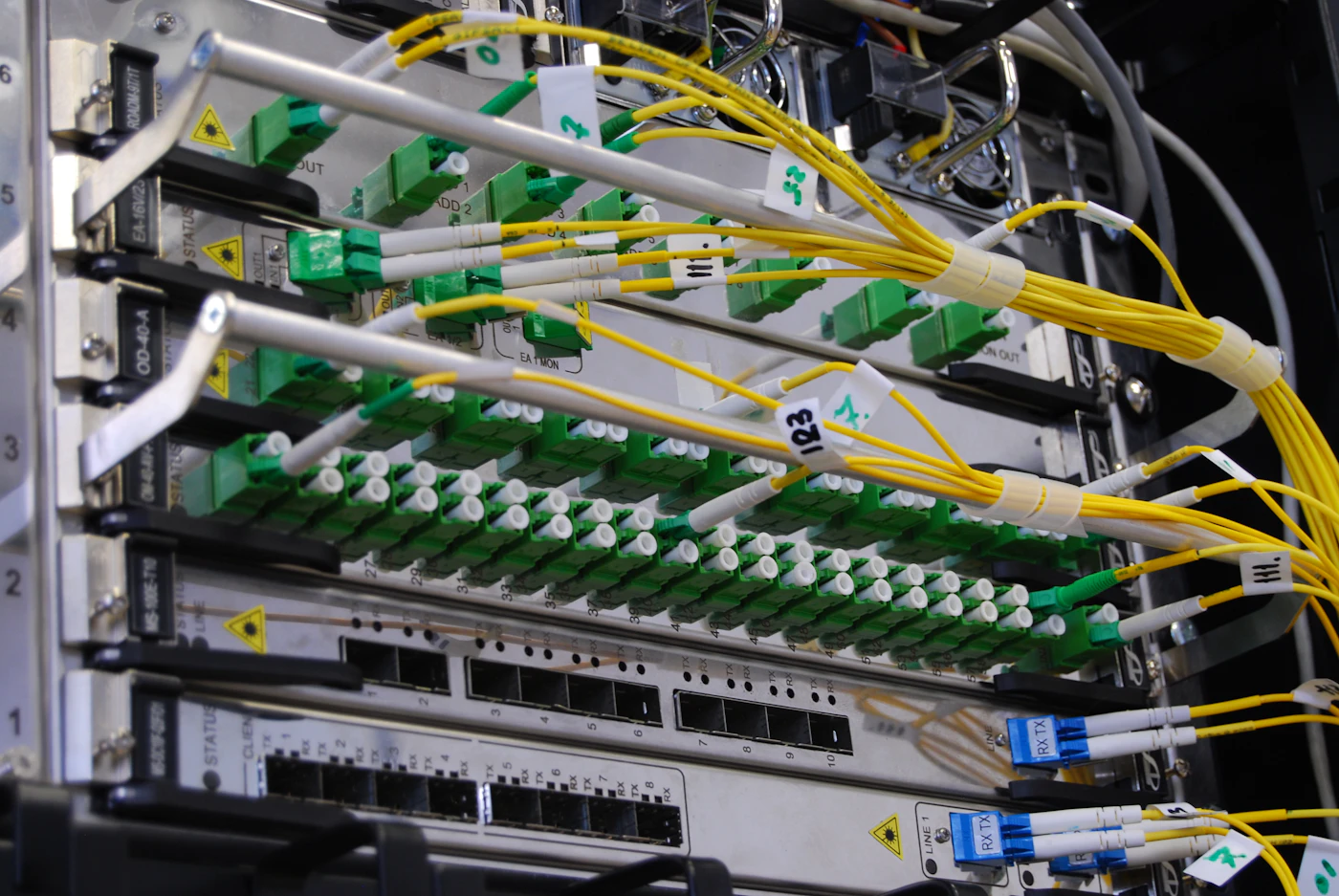
If your business depends on the internet, one line is a single point of failure. Use a fibre or radio connection as the main line, and keep a mobile data router on a different network as backup, for example MTN as the main and Airtel as the second. Starlink is another option for offices where fibre is not available, and I have set it up for clients in places where nothing else worked reliably. The office network must be set up to switch over automatically. I explain the basics in my office network setup service.
Work offline where you can
Many cloud tools have an offline mode. Google Drive and Microsoft 365 can keep local copies of chosen files and sync later. Good POS and stock software keeps selling without internet and uploads the records afterwards. Ask about offline mode before you buy any cloud software, not after.
Save data on purpose
Data bundles are not free. Schedule big uploads, such as nightly backups, for late hours and set a bandwidth limit so they do not slow the office during the day. Turn off automatic syncing of huge folders that staff do not need. Ask staff to send links instead of large attachments. These small habits can save a small office thousands of naira monthly.
How different Nigerian businesses use the cloud
The cloud is not one thing. It looks different in a school, a pharmacy or a hotel, so here are three real-world patterns I see.

Pharmacies and supermarkets
These businesses need speed at the till and accurate stock. The right pattern is a cloud system with an offline mode. The till records every sale on the local machine, then syncs to the cloud. The owner sees stock levels and expiry dates from anywhere, and a stolen computer does not mean lost records. I set up this pattern often, and the cloud part is what allows one owner to watch three branches from her phone.
Schools, churches and NGOs
Schools in Ibadan or Jos hold fees, results and parent contacts. Churches keep member lists and giving records. NGOs hold donor reports and beneficiary data, some of it very sensitive. These organisations often have volunteers and part-time staff who come and go, so cloud accounts with roles are a gift. You give a new volunteer access to one folder, and remove it on their last day. Do not store beneficiary lists on personal phones. Keep them in an account with two-step login.
Hotels, shortlets and travel businesses
Bookings arrive from many places at once: a phone call, WhatsApp, a booking site and walk-ins. A cloud booking system keeps a single calendar so that you do not sell the same room twice. Shortlet owners in Lekki or Maitama who manage apartments from another city rely on it. The guest data in such a system is personal data, so use strong logins and check who can see what.
Cloud security and the Nigeria Data Protection Act
“Is the cloud safe?” is the wrong question. The right question is “who is responsible for what?” A big provider protects the building, the machines and the network. You protect the door: your passwords, your staff and what you choose to share.
You lock the door, the provider owns the building
Think of renting a shop in a well-guarded plaza. The plaza has gates, CCTV and guards. But if you leave your shop key under the doormat, a thief walks in, and the plaza is not to blame. In the cloud, the doormat is a weak password such as “Company123”, or one password shared by five staff. Most cloud breaches I have investigated for clients were not clever hacking. They were reused passwords and phishing (fake emails or WhatsApp messages made to look real, that trick someone into giving away a login).
Four settings to turn on today
- Strong, unique passwords kept in a password manager, not on a sticky note.
- Two-step login (MFA): a code from an app or SMS on top of the password. Even if a password leaks, the thief is stopped.
- Roles: the cashier does not need to see payroll. Give each person the least access they need to do the job.
- Login alerts: get an email when someone signs in from a new device or country.
I go deeper on this in my guide on cybersecurity basics for Nigerian small businesses.
Customer data and the Nigeria Data Protection Act
If you keep customer names, phone numbers, addresses, patient notes, school records or copies of ID, you are handling personal data. The Nigeria Data Protection Act of 2023 and the Nigeria Data Protection Commission set rules on how such data must be collected, stored and protected, and on reporting a breach. I am an engineer, not a lawyer, so read the Act on the Commission’s official website or ask a lawyer about your specific case. What I can tell you from the technical side: know where your customer data lives, limit who can see it, keep an access record, and be able to say what you would do if it leaked. Cloud tools with good logs make that easier than a shared laptop.
Cloud is not a backup
Sync tools copy your mistakes too. Delete a folder on your laptop and it disappears from the cloud folder. Ransomware (malware that locks your files) can encrypt synced files and spread the damage. A proper backup keeps older versions and cannot be wiped by one bad click. Follow the 3-2-1 rule I explain in the backup guide linked earlier, and you will be safe from the usual disasters.
A four week plan to move to the cloud
You can move the first pieces of a small business in a month without stopping sales. This is the plan I give my clients, in the same order every time because it works.

Week 1: list and decide
Write down every tool and file your business uses. Include the boring things: the exercise book, the WhatsApp groups, the old desktop in the corner. For each item, note who uses it, what happens if it is lost and how much it costs today. Then pick one item to move first. Do not pick the most complicated one. Pick the one where staff feel the most pain, usually files and email.
Week 2: a small pilot
Move one department or three people. Set up the accounts, MFA and roles. Let them use it for a full week. Write down every complaint. Fix the settings, not the people. If your pilot users struggle, your rollout plan is wrong, not their brains.
Week 3: move and train
Move the rest, in the evening or on a weekend, never at the start of month-end. Give every person a one-page guide with pictures and a person to call. Keep the old system in read-only mode so that nobody loses access while they learn.
Week 4: switch off and review
Turn off the old habits. Stop the USB copying, close the old accounts, remove ex-staff, and set the automatic backup. Then check the first bill, the speed, and staff feedback. If something is not working, adjust it now while everyone remembers the old way.
Ngozi runs a small logistics office in Benin City with eight staff. She was nervous about the cloud because “the network is not stable”. We did not move everything. We moved email, shared files and backups first, and kept her dispatch software on a local machine with a nightly copy to the cloud. Six weeks later a transformer fault kept her area without light for four days. Her staff worked from home with mobile data and the office generator stayed off. Her lesson to me was simple: “You did not move my business to the cloud. You just took away the single point of failure.”
Four cloud mistakes I see again and again
Most cloud problems are not technical. They come from how people set up accounts and make decisions. Avoid these four and you are ahead of most businesses.
No exit plan
Before you subscribe, ask: “How do I take my data out, and in what format?” If the answer is vague, walk away. You should be able to export your customers, invoices and files in a common format such as CSV or PDF. A cloud tool that traps your data is not a tool, it is a hostage situation. I return to this point in my article on SaaS versus custom software.
One shared login for everyone
When five people use “[email protected]” and one password, nobody is accountable and nothing can be traced. Create a personal account for every person. It costs a little more and saves you when something goes wrong.
Accounts registered in someone else’s name
This is my most painful one. A developer or a nephew sets up the cloud server using his own email and his own card. Then he moves abroad or falls out with you. Now you cannot renew, you cannot log in and you cannot prove the account is yours. Always register accounts with a company email that you control, use a company payment method, and keep at least two admins.
Payment failures that switch off the business
Cloud services suspend accounts when a card is declined. A dollar card that fails on the first day of the month can take your website and email offline. Keep a funded backup card, turn on billing alerts and diarise renewal dates. If you use a partner for hosting, ask them to send a reminder a week before every renewal.
Key takeaways
- Cloud computing means renting computers, storage and software over the internet instead of owning and repairing them yourself.
- In Nigeria, the biggest gains are protection from power surges, theft, fire and staff changes, not fashion.
- Move email and files first, then backups, then sales and stock records. Leave heavy video and special systems for later.
- Budget in naira with a buffer, because many services bill in dollars. A small business often spends ₦20,000 to ₦250,000 monthly.
- A hybrid setup, with a local device for speed and the cloud for sync and backup, is the best fit for many shops and offices.
- Plan for internet failure with two lines on different networks and offline modes.
- Turn on MFA, use personal accounts, control the accounts yourself and keep a real backup, because sync is not backup.
- Know where customer data lives and what the Nigeria Data Protection Act expects of you.
Frequently asked questions
What is cloud computing in simple words?
Cloud computing means using software, storage and computing power that belongs to someone else, over the internet, and paying for what you use. It is like renting a shop instead of building a plaza. Gmail, Google Drive and online banking are everyday examples.
Is cloud computing safe for a Nigerian business?
It is usually safer than a single office computer, because big providers have backup power, security teams and copies of your data. The weak point is normally the customer: weak passwords, shared logins and clicking fake links. Turn on two-step login and give each person their own account.
How much does cloud computing cost in Nigeria?
A micro business often spends ₦20,000 to ₦50,000 a month, a small team ₦80,000 to ₦250,000, and a medium company ₦300,000 or more, depending on the tools and the dollar rate. Prices change, so ask for a current quote. Also count your internet bill.
Can I use cloud software when NEPA takes light or the internet is down?
You need power and internet at your end, so keep a small inverter or UPS for your router and computers, and a second internet line. Choose tools with offline mode, so a till or a document editor keeps working and syncs later.
Do I need a cloud server for my business website?
Not always. A simple company website can run on good shared hosting. An online shop, a booking system or a custom web app usually needs a VPS or cloud server for speed and control. Ask your developer to explain why they recommend one.
What is the difference between Google Drive and a proper cloud backup?
Google Drive syncs files, so a deleted or infected file can vanish everywhere. A proper backup keeps older versions on a schedule and protects you from mistakes and ransomware. Use Drive for sharing and a backup service for safety.
Which is better for a small business in Nigeria, cloud or a local server?
For most teams under 20 people, cloud is cheaper to start and easier to manage. A local server makes sense for heavy files, CCTV video or very poor internet. Many businesses do best with a hybrid setup that uses both.
Next step: get a cloud plan that fits your business
If you are not sure what to move first, I can look at your tools, your internet and your budget and give you a simple plan in one call. I build and host business systems for clients in Abuja, Lagos and across Nigeria, and you can see what I do on my software developer in Nigeria page. If your office also needs someone to look after computers and connections, see my IT support for offices service. You can also read how this fits into the bigger picture in my digital transformation guide for SMEs. When you are ready, book a free consultation or message me on WhatsApp from the site, and tell me what your business does. I will tell you plainly what is worth moving to the cloud, and what is not.
BSc Economist and software engineer with 8 years of experience. CTO / Team Lead at Xoftpro Smart Systems and founder of DannieSoft.