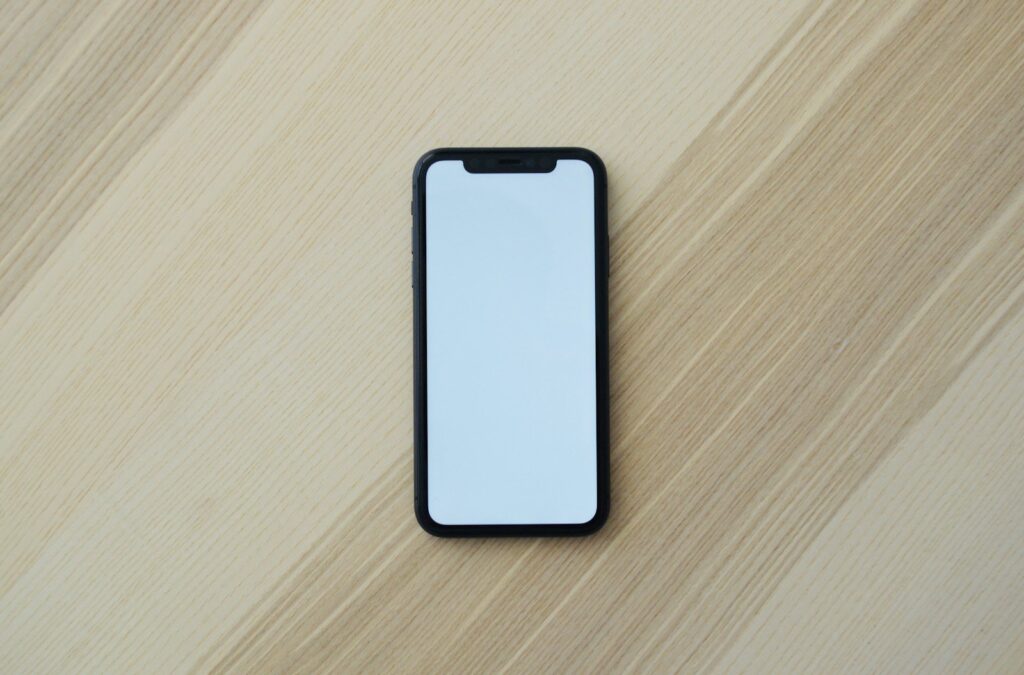
Android POS terminal with receipt printer: a real-world review
My Android POS terminal review for Nigerian shops, takeaways and pharmacies: naira price, battery in NEPA cuts, printer paper, payments, who should buy and my score.
 Dan Audu
Apr 28, 2025
24 min read
In this article14 sections
- Android POS terminal review: my short verdict
- What is in the box and the main specifications
- How much does an Android POS terminal cost in Nigeria?
- Setting up an Android POS terminal in a Nigerian shop
- Battery, heat, dust and NEPA: how the terminal survives Nigerian shops
- Payments: what this terminal does and does not do
- Pros and cons of the Android POS terminal with receipt printer
- Who should buy the Android POS terminal, and who should not
- Android POS terminal alternatives
- Warranty and after-sales for the Android POS terminal
- Where to buy and my final score for the Android POS terminal
- Key takeaways
- Frequently asked questions
- Next step: set up your till properly
Tunde runs a small takeaway in Yaba, Lagos. His cashier wrote orders on paper slips, the kitchen shouted for the slips, and at closing time the cash never matched the slips. Some days the gap was ₦5,000. Some days it was ₦18,000. One Saturday it was more than ₦40,000 and nobody could say where it went. Tunde bought a “POS machine” from a market, and it turned out to be the wrong kind. It could take card payments only through a bank, and it could not print an itemised receipt or track stock. He called me and asked for a simple all-in-one device that would run the till.
I am Dan Audu, a software engineer and technology consultant in Abuja. I build POS software for restaurants, supermarkets and pharmacies, and I sell the hardware that runs it. This Android POS terminal review is about the all-in-one unit with a built-in receipt printer that sits in my shop. I tell you what it does, what it does not do, how it copes with NEPA, heat and dust, what it costs in naira, who should buy it and who should look elsewhere.
A quick warning, because the word “POS” confuses many Nigerians. When most people say “POS”, they mean the card machine that agents use at the junction for cash withdrawals and transfers. This review is about a business till, a machine that records sales, prints receipts and tracks stock. All prices are rough guides as at 2026. Prices change with the dollar, so use them to check a quote, not as a fixed price. My score is 8 out of 10 for small shops, takeaways and pharmacies.
Android POS terminal review: my short verdict
For a small shop, boutique, pharmacy counter, takeaway or bar, an Android POS terminal with a built-in receipt printer is the easiest way to move from paper slips to a real sales record. You tap the items, the device prints the receipt, and the sales go into a report you can read on your phone. It is compact, it runs on its own battery through a power cut and it costs far less than a full desktop till. The limits are the small screen, the thermal paper that fades in the heat and the fact that it does not, by itself, accept bank cards. Used with the right software and a clear payment plan, it is a very good tool.
What this device is, and what it is not
| It is | It is not |
|---|---|
| A handheld or counter-top sales terminal running Android | A bank card machine from a licensed payment company |
| A built-in thermal printer for receipts and kitchen tickets | A laptop replacement for heavy accounting |
| A device that runs POS software for sales, stock and reports | A phone that you should use for social media and games |
| A good partner for cash, transfer and QR sales that you record and confirm | A way to bypass the rules for card acceptance, which need a licensed provider |
My score at a glance
- Ease of use: 9 out of 10. Cashiers learn it in an afternoon.
- Printing and speed: 8 out of 10. Fast enough for a busy counter, but small paper rolls run out.
- Battery and power cuts: 8 out of 10. A full trading day on a charge in my tests.
- Screen and expansion: 6 out of 10. The screen is small for a large product list.
- Value for money: 9 out of 10 for a small business.
What is in the box and the main specifications
The unit in my shop is an all-in-one Android terminal with a touch screen, a built-in 58 mm thermal printer, a rechargeable battery and Wi-Fi and 4G connectivity. Exact specifications can change with each batch, so confirm the model on the Android POS terminal product page before you order. The table shows what this class of device usually offers and what I check.
| Item | Typical specification for this class | What matters for Nigerian shops |
|---|---|---|
| Screen | About 5.5 to 6 inch touch screen | Big enough for 100 to 300 items, small for a huge catalogue |
| System | Android, usually a recent enough version to run modern apps | Check that the version supports your POS app and receives security updates |
| Memory and storage | 2 to 3 GB memory and 16 to 32 GB storage | Enough for a POS app and a product list, not for many other apps |
| Printer | Built-in 58 mm thermal printer, roughly 50 to 90 mm per second | A short receipt prints in about 2 to 3 seconds |
| Battery | Rechargeable, several thousand mAh | A full day in my shops, and it charges by USB or a dock |
| Connectivity | Wi-Fi, 4G SIM, Bluetooth, sometimes NFC | Wi-Fi for the shop, SIM for backup when the router fails |
| Scanning | Camera scanning of barcodes and QR codes, and optional external scanner | Camera scanning is fine for small stock, a scanner is faster for busy counters |
The screen and the way you use it
The screen is like a big phone. You tap products, adjust quantities and confirm the sale. For a takeaway with 60 items, this is fast. For a supermarket with 5,000 products, you should scan barcodes instead of scrolling, or use a bigger desktop till. A supermarket that tries to run a 5,000-item catalogue on a 6-inch screen will frustrate its cashiers.
The thermal printer
Thermal printers do not use ink. They heat special paper, which is why they are fast, quiet and cheap to run. The paper roll is small, about 58 mm wide. A roll gives roughly 100 to 200 short receipts. The printer head is the part that wears out over time, and it hates dust, grease and cheap paper, which I explain later.
Connectivity: Wi-Fi, SIM and Bluetooth
The device can sell using Wi-Fi in the shop, or a SIM card if the router fails. With software that keeps working offline, the sale is saved on the device and sent to the cloud when the internet returns. That is the difference between a normal day and a day when the network goes down at closing time. Bluetooth lets you connect a cash drawer, a wireless barcode scanner or a second printer.
The POS software is what makes it useful
A device without good software is a printer with a screen. My POS software runs on this device, so it manages products, prices, sales, receipts and stock, and shows reports. Depending on the business type, I set it up for restaurants, supermarkets or pharmacies. See my restaurant POS system page for one example, and ask me about the supermarket and pharmacy versions. Ask for a demo so you can see the exact features for your business.

How much does an Android POS terminal cost in Nigeria?
My shop lists the terminal at ₦185,000, with a sale price of ₦169,000 as at 2026. On the wider market, all-in-one Android terminals with printers can range from about ₦120,000 for basic models to ₦380,000 or more for well-known brands and bigger screens. The cheapest units tend to have slow processors, poor printers and weak batteries, which is expensive in the long run.
| Cost item | Typical range in naira (as at 2026, prices change) | Comment |
|---|---|---|
| Android POS terminal with printer | ₦120,000 to ₦380,000 | My shop price is ₦169,000 to ₦185,000 |
| POS software setup and subscription | Depends on the plan and business type | Ask for a quote. Setup covers your products and staff logins. |
| Wireless barcode scanner | ₦25,000 to ₦60,000 | My shop lists one at ₦42,000 |
| Cash drawer | ₦25,000 to ₦70,000 | Optional for shops that handle a lot of cash |
| Thermal paper roll, 58 mm | ₦300 to ₦900 per roll | Buy good paper by the box, not cheap rolls from a random stall |
| Power bank or small UPS for the counter | ₦15,000 to ₦80,000 | Keeps the terminal and the router alive during a cut |
| Staff training and setup | ₦20,000 to ₦80,000 | Worth it on day one |
Running costs people forget
The daily cost is small. A roll of paper at ₦500 that prints 150 receipts is about ₦3 a receipt. A shop that prints 200 receipts a day uses one to two rolls a day, so roughly ₦500 to ₦1,000 a day. The other costs are the software subscription, the SIM data if you use one (a POS app usually needs only a small amount of data), and electricity, which is tiny. I tell shop owners to keep one full box of paper in the store room so the till never stops for lack of a roll.
A payback example
Take Tunde’s takeaway. He sells about 120 orders a day. Before the terminal, his daily mismatch between cash and slips averaged ₦8,000 on a normal day. That is ₦240,000 a month. Even if only half of it was real loss, the yearly figure is about eight times the price of the device. I am not saying that all of it was theft. Part was wrong change, part was unrecorded discounts and part was orders that never reached the kitchen. A terminal cannot stop dishonesty, but it makes the truth visible in a report, and that is the start of control.
Cheap terminals: where the trouble starts
I have seen units from markets that use a printer that jams every fifteen receipts, a battery that lasts two hours and an old Android version that no modern app will install on. Ask three questions before you buy: which Android version does it run, is the battery a standard replaceable type and can I see it print a real receipt right now?
Setting up an Android POS terminal in a Nigerian shop
The device is simple. The setup is what decides whether your staff love it or drop it after a week. This is the order I follow, whether it is a takeaway in Lagos or a pharmacy in Kaduna.
Step 1: Prepare the product list before the device arrives
Write or export your products with names, prices and, if you have them, barcodes. Group them the way you sell them: drinks, snacks, cooked meals, toiletries. For a pharmacy, add the strength and the pack size, because “Paracetamol 500 mg 10s” and “Paracetamol 500 mg 100s” must not be the same button. A clean product list saves hours of confusion later. If your list is a mess of old notebooks, allow a day to clean it up.
Step 2: Set prices, tax and receipt details
Enter selling prices carefully. If you are VAT registered, set the rate (7.5 percent in Nigeria at the time of writing) and make sure the receipt shows it correctly. Put your business name, address and phone number on the receipt header, and a short thank-you line at the bottom. A neat receipt looks professional and reduces disputes with customers.
Step 3: Create staff logins and simple rules
Give each cashier a login or PIN. Decide who can give a discount, who can void a sale and who can see reports. If every cashier uses the same login, you cannot tell who made a mistake. When a staff member leaves, remove their access the same day. I also recommend that only the owner or manager can change prices.
Step 4: Connect the internet and test offline mode
Connect the terminal to the shop Wi-Fi and add a SIM as a backup if you can. Then test the situation you fear the most: switch off the router, make five sales and watch them print. Turn the router back on and confirm the sales appear in the report. If offline sales do not sync, the software or the settings are wrong, and you should find out on day one, not during a Saturday rush. A steady shop router matters, so ask me for advice on that too.
Step 5: Print test receipts and train the team
Print a test receipt for each type of sale: cash, transfer, discount, refund and a mixed sale. Let each cashier do at least twenty practice sales before the shop opens. Teach them how to change the paper roll, and show them how to clear a paper jam. Change paper on a bad day, in front of a queue, is a skill.
Step 6: Set a closing routine
At closing, the manager should print or view the daily report, count cash, compare it with the report and record any difference. Do it every day, at the same time, with the same person. A difference of ₦200 is normal. A difference of ₦20,000 tells you to look at the sales list. My article on restaurant POS features that matter covers the reports that help most.

Design a receipt that customers trust
A receipt is a small piece of marketing and a small piece of proof. Put the shop name, address, phone number, date, time, receipt number, cashier name, items with quantities and prices, the total and the payment type. Add one short line, such as “Goods sold are not returnable without a receipt within 3 days”. For a pharmacy, add the batch or expiry where the software supports it. Keep the design plain and short, because long receipts waste paper and slow down the queue.
Common cashier mistakes and what I do about them
| Mistake | Why it happens | My fix |
|---|---|---|
| Selling without ringing it up | Busy queue, or a friend’s discount | Give the manager a discount button with a PIN, and check the stock report weekly |
| Wrong price on a product | Old price list, supplier change | Only the manager can edit prices, and every change is recorded |
| Recording a transfer as cash | Rushed sales | Force a payment type on every sale and compare with the bank alerts each night |
| Running out of paper in the queue | No spare roll at the counter | Keep two spare rolls under the counter and check the roll at opening |
| Forgetting to close the day | Tired staff at night | Set a daily closing task, and the manager signs the report |
A two-week pilot before you go all in
For a bigger shop, I suggest a two-week pilot. Run the terminal at one counter or for one shift, keep the old notebook running beside it and compare at the end of each day. In the first week you find the mistakes in the product list. In the second week you see how the staff really use it. After two weeks you know whether to switch over fully, buy a second unit or change a few settings. This costs nothing but attention, and it has saved several clients from a bad launch.
Battery, heat, dust and NEPA: how the terminal survives Nigerian shops
A device that works well in an air-conditioned showroom can fail on a market table. Here is what I have seen after running these terminals in real Nigerian shops.
Power cuts and battery life
The built-in battery is a big advantage. When NEPA takes the light, the terminal keeps selling and printing. In my tests with the screen at medium brightness and about 150 to 250 receipts in a day, a full charge carried a shop through a trading day. Printing uses the most battery, so a busy takeaway with long receipts drains faster. I recommend charging it every night and keeping a power bank or a small UPS at the counter for long cuts. Do not leave the device on the charger all day if it is very hot, because heat shortens battery life.
Heat and direct sun
Keep the terminal out of direct sunlight, especially in an open kiosk or a shop with a glass front. A hot terminal slows down, the screen becomes hard to read and the battery ages faster. In Abuja in March and April, a phone-sized device left on a sunny counter can become too hot to touch. Give it a shaded spot and some airflow.
Thermal paper and hot rooms
Thermal receipts fade with heat, sunlight and some plastic covers. A receipt left on a dashboard can go blank within weeks. This matters for warranty, refunds and tax records. If you need to keep a receipt for a long time, take a photo or let the software store the digital copy. Buy good paper from a trusted seller, because cheap paper leaves dust that dirties the print head and makes the print pale.
Dust, harmattan and grease
Harmattan dust gets into printers and under the paper. Wipe the printer area with a soft, dry cloth every week, and open the paper door and blow out dust with a small air blower if you have one. In restaurants, grease and steam are the enemy. Keep the terminal away from the fryer and cover the screen with a clear protective film. I also suggest a simple silicone cover to protect against spills and drops.
Theft, drops and lockdown
These terminals are small and attractive to thieves. Fix the device on a stand or tether it if it stays on the counter. Set a screen lock and turn on kiosk mode if your software supports it, so a cashier cannot install games or open social media on the till. A till used for TikTok is a slow till.

Payments: what this terminal does and does not do
This is the part that causes the most confusion in Nigeria, so I will be direct. This terminal is a sales till. It records what was sold and how the customer paid. It is not, by itself, a bank card machine, and it cannot accept card payments unless it is linked to a licensed payment provider.
Cash, transfer and QR: how most Nigerian shops really get paid
Most small businesses in Nigeria take cash and bank transfers, plus some card and QR payments. The terminal lets the cashier choose the payment type for each sale. For transfers, do not trust a screenshot. Fake alert screenshots are common. Confirm the credit in your bank app or through a payment provider that gives you a unique account number or payment link for each sale. Paystack and Flutterwave offer such tools, and you can read about them on Paystack’s official website.
Cards and the role of the regulator
Accepting cards in Nigeria goes through licensed companies, such as acquirers and payment terminal service providers, under the rules of the Central Bank of Nigeria (CBN), which you can read about on the CBN website. Businesses usually get a card terminal from a bank or a licensed provider, including the fintechs behind the terminals that agents use. If you want cards, use a licensed terminal alongside my till, and record the sale in both. To understand how this world works, read my article on Moniepoint and the rise of agent banking.
Reconciling sales and bank alerts
At the end of the day, the software report should match your cash count plus your transfers and card totals. If a customer says they paid by transfer and the money did not arrive, you can check the sale time and receipt number. This connection between the till and the bank is the point of the whole system. It also helps when your accountant asks for records at the end of the month.

Pros and cons of the Android POS terminal with receipt printer
What I like
- All in one. Screen, printer, battery and connectivity in one small unit. No tangle of cables on the counter.
- Battery backup. It keeps selling when NEPA goes, which matters more than any feature.
- Fast to learn. Cashiers who use smartphones understand it quickly.
- Real receipts. Customers get a proper itemised receipt, and you get a record of every sale.
- Stock and reports. With the right software, you see best sellers, low stock and daily sales from your phone.
- Portable. It works at a market stall, a table in a restaurant, an event or a delivery point.
- Low price. A fraction of the cost of a full desktop till.
- Cheap running cost. Thermal paper, no ink, and low power use.
What I do not like
- Small screen. A big catalogue or a complex order is slow to manage.
- Not a card machine. Many buyers assume it takes cards. It does not by itself.
- Thermal paper problems. Receipts fade, and rolls run out at the worst time.
- Printer wear. The print head hates dust and cheap paper, and a bad head means a service visit.
- Battery ageing. After a year or two of daily use, battery life drops and you may need a replacement.
- Cheap copies exist. Some units sold as the same product have poor screens, slow processors and old software.
- Depends on the software. A great terminal with weak software is a bad till, and a good app on a poor device is not much better.
Who should buy the Android POS terminal, and who should not
Who should buy it
Takeaways, small restaurants and bars. A waiter can take orders at the table, print a kitchen ticket and print the bill. For a takeaway in Yaba or Wuse, it removes the paper-slip chaos. My guide on POS for restaurants and supermarkets explains more.
Pharmacies and patent medicine stores. A pharmacy counter needs speed and accuracy, and the software can track batches and expiry dates. If your pharmacy stocks hundreds of items, use a barcode scanner. My article on pharmacy software and expiry tracking explains why that matters.
Boutiques, cosmetics shops and provision stores. A small shop with a few hundred items gets clear records, and can see which products sell best. Ngozi, who runs a cosmetics shop in Enugu, found that a product she thought was a bestseller sold half as often as another she nearly stopped stocking.
Market traders with a fixed stall. If you sell in a market and need receipts for regular customers, the terminal is compact and battery-powered. Keep it shaded and secured.
Event sellers and mobile vendors. Food trucks, weekend fairs and pop-up shops can sell anywhere with a battery-powered till.
Salons, barbing shops, bookshops and school tuck shops. Services and small items mix well on a simple till. A salon in Port Harcourt can record braiding, hair products and tips separately and see which stylist earns most. A school tuck shop in Ibadan can give parents a receipt and stop the old problem of pupils “forgetting” to pay. A church bookshop in Owerri can see which titles are moving before the next order. In each case the value comes from the same thing: an honest record that does not depend on anyone’s memory.

Who should not buy it
Large supermarkets. A supermarket with several checkout lanes, thousands of products and heavy traffic needs a full desktop POS with a big screen, a scanner and a bigger printer. My supermarket POS software is built for that level.
Businesses that want card acceptance by themselves. If your main goal is to accept cards, start with a licensed card terminal from a bank or a fintech provider. Then add a till later for records and stock.
Businesses with no internet plan and no discipline. A till only helps if the staff use it for every sale. If half of the sales happen “off the machine”, the reports are useless.
Very small sellers with a few items. A phone with a notebook or a simple app may be enough if you sell ten items a day.
Ibrahim owns a small pharmacy in Kaduna. He used a notebook for sales and a second notebook for stock, and every month the two disagreed. After we put one terminal at the counter, the owner saw the sales of each item in a report and noticed that a costly injection had been sold six times without a record. He did not accuse anyone. He simply put a rule in place that every item leaves through the till. Within two months the mismatch dropped to almost nothing, and he told me the notebook came back only for phone numbers.
Android POS terminal alternatives
The terminal is not the only way to run a till. Here is how it compares with other options I set up for clients. Prices are rough ranges as at 2026 and change with the exchange rate.
| Option | Typical cost (as at 2026) | Best for | Main weakness |
|---|---|---|---|
| Android POS terminal with printer (this review) | ₦120,000 to ₦380,000 | Small shops, takeaways, pharmacies, mobile sellers | Small screen, no card acceptance on its own |
| Phone or tablet plus Bluetooth printer | ₦100,000 to ₦350,000 | Very small businesses, waiters who move around | More parts to connect, printer pairing issues, no built-in battery for the printer in some cases |
| Desktop or all-in-one Windows POS with scanner, printer and drawer | ₦350,000 to ₦1,200,000 | Supermarkets, busy restaurants, larger shops | Higher price, needs power backup and counter space |
| Licensed bank or fintech card terminal | Depends on the provider | Accepting card, transfer and USSD payments | Not a full sales and stock system |
| Mobile phone and a notebook | ₦0 to ₦20,000 | Very small sellers | No control, no reports, easy to lose money |
Phone or tablet with a printer: worth it?
You can use a phone or a tablet and a Bluetooth receipt printer. It is flexible, and a Samsung tablet with a printer is a sensible setup for a restaurant. But it has more parts that can fail: the phone, the printer, the Bluetooth link and the charger. The all-in-one unit has fewer moving parts, which is why many shop owners in my experience prefer it.
When to choose a desktop till instead
If you have more than one cashier at the same time, more than a few hundred items or a queue every evening, get a desktop system. It costs more but it is faster and easier on the eyes. You can still keep one handheld terminal for the delivery rider or the outdoor table.
Warranty and after-sales for the Android POS terminal
Hardware like this normally carries a limited warranty, and the length depends on the seller and the brand. My shop lists the terminal as a genuine product with warranty, delivery across Nigeria and setup and support available. Please confirm the exact warranty period on the product page or on WhatsApp before you buy, and get it in writing.
What is usually covered
- Usually covered: a dead screen, a faulty motherboard, a printer that fails on its own, a charging port that stops working without damage.
- Often limited: the battery, because batteries age with use, so some warranties cover it for a shorter time.
- Usually not covered: liquid damage, cracked screens, drops, damage from a wrong charger, dust and grease damage and repairs by strangers.
Spare parts and consumables
Keep spare paper rolls and a spare charging cable. Ask whether a replacement battery and printer head are available locally, and how much they cost. A device that cannot be repaired is a short-lived device. For Nigerian shops, the availability of parts in Lagos, Abuja or Onitsha is a bigger factor than a brand name.
Software support and updates
My POS software includes support for setup and questions, and updates come through the app. Ask what happens if the internet is down for a long time, how you can export your sales data and who owns your data. You should always be able to export your sales and stock list, and you should not be locked in. I keep to that rule with all clients.
A simple care routine that saves repairs
- Wipe the screen and the printer area weekly.
- Use good paper and change it before it runs out.
- Charge the battery at night and avoid full drains.
- Keep the device out of sun, rain and kitchen steam.
- Back up your product list and sales once a month.
Where to buy and my final score for the Android POS terminal
You can order the unit from the Android POS terminal with receipt printer product page, and browse my scanners, tablets and other retail gear in the shop. Whoever you buy from, ask to see the terminal print a receipt, ask about the Android version and battery, and ask what software it will run.
The scorecard
| Area | Score | Why |
|---|---|---|
| Ease of use | 9 / 10 | Quick for cashiers to learn |
| Printing and speed | 8 / 10 | Fast, but small rolls and dust need care |
| Battery and power cuts | 8 / 10 | A full trading day in my tests |
| Screen and expansion | 6 / 10 | Small screen for large product lists |
| Value for money | 9 / 10 | Compact and affordable for small businesses |
| Overall | 8 / 10 | A practical till for small Nigerian businesses |
My honest advice in one paragraph
If you run a takeaway, a pharmacy counter, a small shop or a stall and you want honest records without a big investment, buy the terminal and pair it with good software. Prepare your product list first, train your staff, keep paper in stock and protect the device from heat. Do not expect it to accept cards by itself, and do not put a supermarket with five lanes on it. Get the setup right, and it will pay for itself the first time it shows you where money was leaking.
Key takeaways
- The Android POS terminal with a receipt printer is a business till for sales, receipts and stock. It is not a bank card machine.
- My shop price is ₦169,000 to ₦185,000 as at 2026, and my score is 8 out of 10.
- Battery power keeps it selling during NEPA cuts. Add a power bank or UPS for long cuts.
- Keep it away from sun, steam and dust, and use good thermal paper.
- Prepare your product list and train your staff before the first sale.
- Confirm bank transfers in your bank app or through a payment provider. Never trust a screenshot.
- For big stores, choose a desktop system. For cards, add a licensed card terminal.
Frequently asked questions
How much is an Android POS terminal with a receipt printer in Nigeria?
As at 2026, prices range from about ₦120,000 for basic units to ₦380,000 or more for well-known brands. My shop lists the terminal at ₦185,000, with a sale price of ₦169,000. Prices change with the exchange rate, so confirm before you pay.
Can this terminal accept ATM cards?
Not by itself. It is a sales till. To accept cards in Nigeria you need a terminal from a licensed provider such as a bank or a licensed payment company. You can use it alongside my till and record the sales in both.
Does it work without internet?
With software that supports offline mode, yes. Sales are saved on the device and synced when the internet returns. Test this on day one by switching off the router and making a few sales.
How long does the battery last?
In my tests, a full charge carried a shop through a trading day of about 150 to 250 receipts. Heavy printing and a bright screen drain it faster. Charge it every night and keep a power bank for long cuts.
What paper does it use?
It uses 58 mm thermal paper rolls. They cost roughly ₦300 to ₦900 each as at 2026. Buy good paper by the box, keep receipts away from heat and sun, and store the digital copy of important sales.
Is it good for a pharmacy or a supermarket?
It is good for a small pharmacy or a small supermarket counter, especially with a barcode scanner. For a large supermarket with many lanes and thousands of items, a full desktop POS is better.
Can I use my own POS app?
Often yes, if the app runs on Android and supports the printer. Ask the seller to show a test print. My shop lists the terminal as working with my POS software, and I can set it up for your business type.
Next step: set up your till properly
Tell me what you sell, how many items you have and how many staff use the counter. I will tell you whether this terminal is enough or whether you need something bigger, and I will help you set up the products, staff logins and reports. Look at my restaurant POS system service for a restaurant or takeaway, or book a free consultation. You can also message me on WhatsApp from the site, and we will plan your till before you buy.
BSc Economist and software engineer with 8 years of experience. CTO / Team Lead at Xoftpro Smart Systems and founder of DannieSoft.