
Choosing a POS system for your restaurant, supermarket or pharmacy
The wrong POS system slows your queue and hides stock losses. Learn what a restaurant, supermarket or pharmacy needs, what it costs in naira and what to ask.
 Dan Audu
Aug 21, 2026
24 min read
In this article14 sections
- POS system: what it is, and how it differs from the PoS machine at the corner
- What the wrong POS system costs you in Nigeria
- Choosing a POS system for a restaurant
- Choosing a POS system for a supermarket or minimart
- Choosing a POS system for a pharmacy
- Features every POS system needs, whatever you sell
- Hardware: what to buy for your POS system
- How much does a POS system cost in Nigeria?
- Cloud subscription, off-the-shelf licence or custom system: how to decide
- Ten questions to ask every POS vendor before you pay
- Rolling out your POS system without chaos
- Key takeaways
- Frequently asked questions
- Your next step: choose before you spend
Chinedu owns a busy supermarket in Independence Layout, Enugu. For two years he believed the shop was healthy because the tills were always full and the queue reached the door every Saturday. Then he installed a proper POS system and ran his first honest stock report. In three months, goods worth nearly ₦1.8 million had left the shelves without a matching sale. Some was breakage and expiry. Some was a cashier who “forgot” to scan items for her friends. Some was simply never counted in when the supplier delivered. The shop was busy, but it was leaking money in three places he could not see.
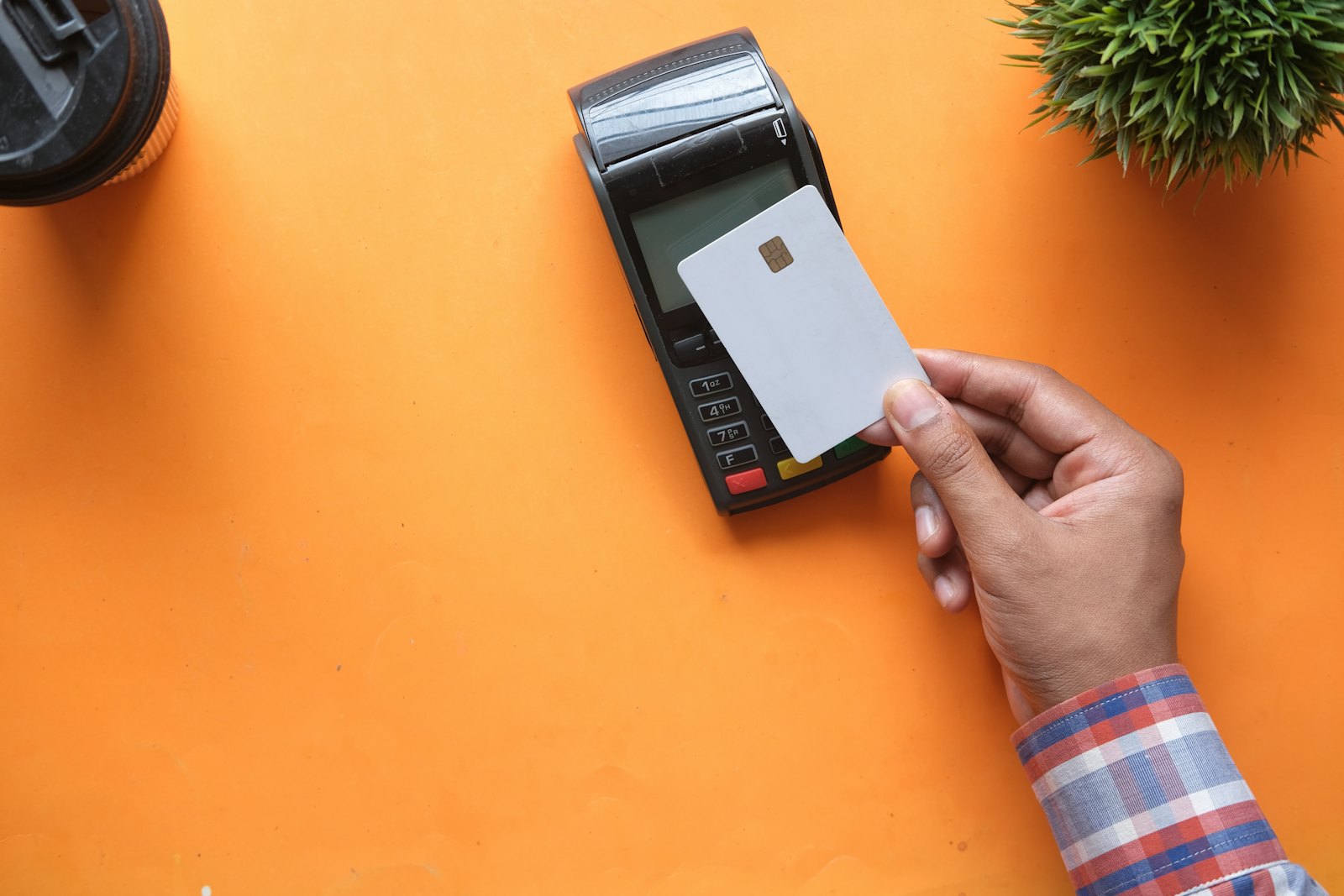
In Nigeria the letters POS confuse people, because we use them for two different things. To most people, a PoS is the card machine that the agent at the roadside uses to give you cash. To a shop owner, a POS system is the software, screen, printer and scanner that record every sale and every item of stock. This article is about the second one. It is the system that decides whether your queue moves, whether your stock figures are true and whether your staff can steal without being noticed.
I have installed and designed POS setups for restaurants, supermarkets, pharmacies and retail shops in Abuja, Lagos, Port Harcourt and other cities. Below is what I want every owner to know before spending money: what a POS system really is, what each type of business needs, what hardware to buy, what it costs in naira, which questions to ask a vendor, and how to roll it out without upsetting your staff.

POS system: what it is, and how it differs from the PoS machine at the corner
Let me clear up the confusion first, because it causes expensive mistakes. I have met owners who thought that buying a card terminal from their bank meant they now had a POS system. They did not. They had a way to collect card payments, and nothing more.
The card terminal is only a payment tool
A card terminal, often called a PoS machine in Nigeria, accepts a card or a transfer and confirms the payment. Providers such as Moniepoint, Opay and the banks issue them. It tells you money has arrived. It does not know what was sold, which item left the shelf, who the cashier was or what the profit was. If you want to understand how these agent machines grew so quickly, my article on Moniepoint and the rise of agent banking in Nigeria explains the story.
The POS system is the brain of the shop
A POS system is software that records the whole sale: which items, at what price, sold by whom, at what time, paid how. Behind the counter it also keeps your product list, your stock levels, your customers and your reports. When a cashier scans a bottle of groundnut oil, the system reduces the stock by one, records the price and the payment type, prints a receipt and adds the sale to today’s total. At the end of the day, the number in the drawer should match the number on the screen.
The pieces of a complete setup
A working POS setup usually has five parts. The software, which can live on the internet (cloud) or on a computer in your shop. A screen to run it on, such as an Android tablet, a touch-screen all-in-one or a laptop. A receipt printer. A barcode scanner and cash drawer for shops. And a card terminal or a payment link so that transfers and cards are recorded in the same place as cash. When these work together, the owner can sit in another city and see the day’s sales on a phone. I set up all of these for restaurants, shops and pharmacies, and the same principles apply to each.
What the wrong POS system costs you in Nigeria
Buying the wrong system does not just waste the purchase price. It slows service, hides losses and teaches your staff bad habits. Here is where the pain shows up.
Slow queues and lost customers
A slow system is a silent killer. If each customer takes an extra thirty seconds because the screen lags or the cashier searches for the item by name, a queue of ten people costs you five minutes, and impatient customers walk out. At month end, when salaries have just landed and every supermarket in Wuse and Lekki is full, those minutes turn into real money. A good system finds items by barcode in under a second and completes a normal sale in a few taps.
Hidden stock losses
Without accurate stock, you buy too much of what does not sell and run out of what does. Expiry and damage go unnoticed until goods are thrown away. Theft looks like “shrinkage” and nobody knows where it happened. In the supermarkets and pharmacies I have audited, losses from missing, expired and unrecorded stock commonly run between 2 and 6 percent of turnover before a POS system is used properly. For a shop selling ₦5 million a week, even 3 percent is ₦150,000 a week, which is more than seven million naira a year.
Cash and staff leakage
Cashiers can give unauthorised discounts, void a sale after taking the cash, undercharge friends and family, or pocket cash and mark it as a transfer. A weak system lets all of this happen and leaves no trail. A strong one makes every discount, void and refund need a manager’s approval, and keeps a log that names who did what and when. Honest staff also benefit, because they are protected from false accusations.
Power cuts and patchy internet
Many cheap systems fail exactly when you need them. NEPA takes light, the router restarts, the cloud login screen spins and your queue grows while the cashier writes on paper. Any POS system you buy in Nigeria must keep selling when the internet drops, save the sales on the device and sync them later. I return to this below because it is the first thing I test in a demo.
| Where money leaks | What it looks like | How a good POS system catches it |
|---|---|---|
| Unscanned or undercharged items | Stock falls faster than sales rise | Daily stock versus sales variance report |
| Voids and discounts after payment | Cash in drawer is short, sales look normal | Manager approval and a log of every void |
| Expired or damaged goods | Goods binned with no record | Expiry alerts and a write-off register |
| Supplier short deliveries | Invoice says 50 cartons, shelf received 46 | Goods received notes checked against purchase orders |
| Fake transfer alerts | Screenshot shows paid, bank shows nothing | Payment confirmed from the bank or gateway, not a screenshot |
| Price mistakes | Old price still charged after supplier increase | Central price list with change history |
Choosing a POS system for a restaurant
A restaurant is the most demanding of the three businesses, because a sale is not one quick scan. It is an order that travels from a waiter to a kitchen and a bar, changes as the customer thinks, gets split at the end, and depends on ingredients you cannot count by barcode.
Tables, orders and the kitchen
The waiter should take the order on a phone or tablet at the table, and it should print or show at the correct kitchen station within seconds. Jollof and grilled fish go to the kitchen, drinks go to the bar, and nobody shouts across the room. The system must handle changes such as “no pepper,” “extra plantain” and “swap rice for fries” without confusing the cook. It must also let the manager move a table, merge two tables or split one bill across five friends who each pay by transfer.
Bills, service charge and taxes
Restaurants in Lagos and Abuja often add a service charge and VAT (currently 7.5 percent, confirm with your accountant). The system should calculate both correctly and show them on the bill clearly. It should allow discounts only with permission, and record tips separately from sales so the books stay clean.
Ingredients and recipes
The real profit in a restaurant lives in the ingredients. A good restaurant POS system links each dish to a recipe, so that selling one plate of jollof rice with chicken reduces the rice, tomatoes, oil and chicken in your stock. Then at the end of the week you can compare what the kitchen should have used with what it did use, and spot waste or theft. I wrote a full guide to the ten features I insist on in 10 POS features every Nigerian restaurant should demand. Read it before you watch any vendor’s demo.
Takeaway, delivery and WhatsApp orders
Nigerian restaurants now sell as much through phones as through the door. Orders arrive by WhatsApp, Instagram DMs, calls from the office next door and riders from delivery platforms. If these live in a notebook while the till handles only walk-in customers, your sales figures are wrong and your kitchen is chaos. A good POS system lets staff enter a phone order in seconds, mark it as delivery or pickup, add the delivery fee, print the ticket in the kitchen and track whether it was paid. Ask how it treats a customer who transfers before the food leaves. That single detail decides whether your riders leave with paid orders or with promises.

Choosing a POS system for a supermarket or minimart
A supermarket lives on speed and accuracy. You have thousands of items, small margins on each and a queue that punishes every slow second. The core of a supermarket POS system is the product list and the barcode.
Barcodes, speed and weighed items
Every item needs a barcode, either the one printed by the manufacturer or one you print yourself for local goods such as bagged rice, yam flour and fresh produce. The cashier scans and the price appears. For items sold by weight, such as tomatoes, meat and beans, the system should read the weight from a scale or accept a typed weight, and calculate the price. It should also handle pack sizes, so that a carton of 24 bottles and one bottle share the same stock record.
Prices, promotions and multiple branches
Prices change constantly in Nigeria. Suppliers raise them without warning, and your customers know it. Your system needs a central price list you can update in minutes, with history so you can see what the price was last month. It should also support promotions like “buy two, get 10 percent off” and loyalty points, without the cashier doing mental maths. If you have two or more branches, look for one dashboard that shows all of them and lets you move stock between them with a proper transfer record.
Stock control and suppliers
A supermarket POS system should tell you what to reorder before the shelf is empty, using a minimum level for each item. It should let you create a purchase order for a supplier, receive the goods against it, and flag any difference between what was ordered, what was invoiced and what arrived. It should record damaged and expired items as write-offs with a reason. My article on stock control tips for supermarkets and minimarts has a practical routine that works with any system, and my supermarket POS software service is built around these needs.
Returns, credit customers and price checks
Every Nigerian shop has three awkward situations that foreign POS software rarely handles well. First, customers who return an item without a receipt, or who want an exchange for something at a different price. Second, regular customers who buy on credit and pay at month end, such as a caterer, a school canteen or a neighbour with a small shop. Third, customers who ask “how much is this?” when there is no price tag. Your system should record returns against the original sale where possible, keep a credit account for named customers with a limit and a payment history, and let the cashier check a price by scanning without adding it to the bill. Ask for these three in the demo.

Choosing a POS system for a pharmacy
A pharmacy sells items that can harm a customer if they are expired, wrongly dispensed or mixed up. A general shop POS system is often not enough. The stakes are higher, and so is the regulation.
Batches and expiry dates
Drugs must be tracked by batch number and expiry date, not only by name. Two boxes of the same paracetamol can have different expiry dates, and the older one should be sold first (this is called FEFO, first expired, first out). The system should warn you 90, 60 and 30 days before expiry, block the sale of expired stock and show you a report of everything about to expire so you can return it to the supplier or discount it in time. I go deeper in my article on pharmacy software and expiry tracking.
Prescriptions, controlled drugs and records
Some medicines need a prescription, and some controlled drugs need a register that regulators can inspect. A pharmacy POS system should let the pharmacist attach a prescription, record the patient and the prescriber, and keep an audit trail for controlled items. It should also flag drug interactions or allergies if you enter patient data, and keep that data private, since health information is sensitive under Nigeria’s data protection rules.
Brands, generics and NAFDAC details
Customers often ask for “the cheaper one” or a substitute with the same active ingredient. The system should let the pharmacist search by brand or by generic name and suggest alternatives in stock. Recording the NAFDAC registration number of each product helps with audits and product recalls. If you want to see how I approach this sector, read my pharmacy POS software page.
Fast counter sales and credit to clinics
Most pharmacy sales are quick: a strip of paracetamol, a bottle of syrup, a pregnancy test. The system must let the pharmacist sell these in a few seconds without a long form, and still record the batch. At the other end, many pharmacies supply clinics, schools and small hospitals on credit. That needs customer accounts, invoices, statements and payment tracking, or the pharmacy ends up chasing debts in a notebook. The right system covers both the walk-in counter and the account customer.

Features every POS system needs, whatever you sell
Some features depend on the business. Others are non-negotiable for everyone. Use this table as a filter when a vendor shows you a demo. “Must” means I would not buy without it. “Important” means it should be there or be coming soon. “Nice” means it helps but is not a deal breaker.
| Feature | Restaurant | Supermarket | Pharmacy |
|---|---|---|---|
| Works offline and syncs later | Must | Must | Must |
| Staff logins, permissions and audit log | Must | Must | Must |
| Split payments (cash, card, transfer) | Must | Must | Must |
| Barcode scanning | Nice | Must | Must |
| Tables, kitchen and bar tickets | Must | Not needed | Not needed |
| Recipes and ingredient stock | Must | Not needed | Not needed |
| Batch numbers and expiry alerts | Nice | Important | Must |
| Prescriptions and patient records | Not needed | Not needed | Must |
| Weighed items and pack sizes | Nice | Important | Rare |
| Supplier purchase orders and goods received | Important | Must | Must |
| Multi-branch dashboard | Important | Important | Important |
| Customer records and loyalty | Nice | Important | Nice |
| Daily, weekly and monthly reports on a phone | Must | Must | Must |
Offline mode is not optional in Nigeria
I say this to every client: your internet will fail, and it will fail at the worst time. An offline-capable POS system keeps a local copy of your products and prices on the device, records sales as normal and uploads them when the connection returns. Without it, a bad afternoon with the network costs you sales and creates a paper backlog nobody wants to type in at night. When I test a vendor’s system, I switch off the router in the middle of the demo. If the sale screen freezes, the demo is over.
Payments that match how Nigerians really pay
Your customers pay in cash, by card, by bank transfer and sometimes by a mix of the three. The system must record each payment type separately and allow a split, such as ₦3,000 in cash and ₦5,500 by transfer. Confirming transfers is a real problem, because fake alert screenshots are a known trick. The safest option is a system that confirms payment through the bank or a gateway such as Paystack or Flutterwave, using a unique account number or payment link for each bill, instead of trusting an SMS or screenshot on a customer’s phone.
Reports that the owner will really read
Owners do not need forty reports. They need five: sales by day and by staff member, profit by product, stock that is low or expiring, cash and payment reconciliation, and discounts and voids. Ask for them on a phone, in plain layout, with a date filter. If a vendor has to prepare your reports by hand every month, the system is not doing its job.
Receipts on WhatsApp and links to your accounts
Paper receipts still matter, but many customers now prefer a digital copy sent to WhatsApp or SMS, especially corporate buyers who need proof of purchase for their own records. A modern system can send the receipt in one tap and keep the customer’s number for future offers, with their permission. Also ask whether the sales data can flow into your accounting software or be exported cleanly for your accountant at month end. If your accountant has to retype the numbers, mistakes and delays are guaranteed.
Hardware: what to buy for your POS system
Software gets all the attention, but the wrong hardware ruins the best software. Buy hardware that is supported by your software vendor and that your technician can repair in your city.
The screen the cashier uses
There are three common choices. An Android tablet is affordable and portable, and ideal for restaurants where waiters walk around. A Windows all-in-one touch terminal is sturdier and faster and suits a busy supermarket counter. A laptop can work in a small shop, but it is bulky and easy to spill drinks on. All-in-one Android POS terminals with a built-in receipt printer are popular for small shops and takeaways, and I reviewed one in my article on the Android POS terminal with a receipt printer.
Printers, scanners and cash drawers
A thermal receipt printer (it prints with heat, so it needs no ink) in 58mm or 80mm width is the standard. A restaurant kitchen usually needs a second printer for order tickets. A barcode scanner should be a fast laser or imaging type, and choose a wired or wireless one according to your counter layout. A cash drawer connects to the printer and opens only when a sale is completed or a manager approves a no-sale.
Do not forget the network
A cloud POS system depends on a stable local network. If the tablets, printers and router share one weak WiFi signal in a crowded restaurant, orders will delay and printers will drop out. Use cable for the counter terminal and printer where you can, give printers fixed addresses, and place the router centrally. My guide to the office network setup checklist covers the same rules for shops and restaurants.
Power protection
Give the POS terminal, printer and router a small UPS or inverter circuit so that a NEPA cut does not close the shop in the middle of a sale. A 650VA to 1kVA UPS is often enough for a single counter for an hour or two. Never plug expensive hardware into a cheap extension board.
| Item | What it does | Typical price (as at 2026) |
|---|---|---|
| Android tablet for waiters or cashier | Runs the POS app | ₦120,000 to ₦300,000 |
| Windows all-in-one touch terminal | Fast counter station | ₦350,000 to ₦900,000 |
| Android POS terminal with built-in printer | All-in-one for small shops | ₦150,000 to ₦450,000 |
| 80mm thermal receipt printer | Customer receipts and kitchen tickets | ₦45,000 to ₦110,000 |
| Barcode scanner | Fast item entry | ₦20,000 to ₦70,000 |
| Cash drawer | Secure cash, opens with a sale | ₦30,000 to ₦75,000 |
| UPS for counter equipment | Keeps selling during power cuts | ₦60,000 to ₦200,000 |
| Label printer for shelf and product barcodes | Prints your own barcodes and price labels | ₦60,000 to ₦150,000 |
These are broad ranges and change with brand, supply and the exchange rate. Ask for a written quote and check that the warranty is honoured by a local office, not a shop that will disappear.
How much does a POS system cost in Nigeria?
There are three ways to pay for the software, and each suits a different owner. Understanding them helps you compare quotes that look completely different from each other.
Monthly subscription (cloud POS)
You pay a monthly fee per outlet, and the vendor hosts the system, updates it and backs it up. Fees typically range from about ₦10,000 to ₦60,000 a month for a single shop or restaurant as at 2026, and more for multi-branch or advanced modules. The upside is low upfront cost and automatic updates. The downside is that you pay forever, and if the vendor closes or raises prices, you are stuck.
One-off licence
You pay once, often between ₦250,000 and ₦1.5 million, and install the software on your own computers. It can be cheaper over five years, but updates, backups and support may cost extra, and remote access may be limited. Make sure the licence covers more than one device if you need it.
Custom-built system
A system built for your exact way of working can cost roughly ₦1.5 million to ₦8 million or more, depending on the number of branches and integrations. It makes sense for chains, unusual workflows or businesses that want to own the code, and I discuss this with clients when we plan their stock systems. For a single small shop, it is usually overkill.
| Business | Subscription (per outlet per month) | Typical hardware set | Realistic first-year cost |
|---|---|---|---|
| Small shop or takeaway | ₦10,000 to ₦25,000 | Android POS with printer and scanner: ₦200,000 to ₦500,000 | ₦320,000 to ₦800,000 |
| Restaurant, 30 to 80 seats | ₦25,000 to ₦60,000 | Tablet or terminal, 2 printers, drawer, UPS: ₦450,000 to ₦1,200,000 | ₦750,000 to ₦1,900,000 |
| Supermarket or minimart | ₦30,000 to ₦80,000 | 2 to 4 terminals, scanners, printers, drawers, UPS: ₦900,000 to ₦3,000,000 | ₦1,300,000 to ₦4,000,000 |
| Pharmacy | ₦25,000 to ₦70,000 | Terminal, scanner, printer, label printer, UPS: ₦450,000 to ₦1,300,000 | ₦750,000 to ₦2,100,000 |
The costs people forget
Add data entry for your product list, which can take a week for a big supermarket. Add staff training time, a backup internet line, SMS or WhatsApp credits for receipts, payment gateway fees and an annual support plan. I usually suggest setting aside 15 to 20 percent of the first-year cost for these extras.
How to think about the return
Take a shop that sells ₦4 million a week. If a POS system helps you cut losses from 4 percent to 1.5 percent, you keep an extra ₦100,000 every week, which is ₦5.2 million in a year. Even if the setup cost ₦2.5 million, it pays for itself well within the first year. The return comes from fewer losses, faster queues, better reordering and honest cash counts. It does not come from the machine itself.

Cloud subscription, off-the-shelf licence or custom system: how to decide
This is the question that comes after “which vendor.” It really is about how your business works and where you want to be in three years.
Choose a cloud subscription if
You run one or two outlets, want to start fast, and prefer to pay in small monthly amounts. You also want to see sales from your phone and do not want to manage servers or backups. This fits most restaurants, pharmacies and neighbourhood supermarkets. Check the offline mode, the data export option and the vendor’s track record.
Choose a licence or a custom build if
You run many branches, have unusual rules such as complex loyalty programmes, need to integrate with accounting or ERP software, or want to own the data and code. This is the kind of project I handle with growing chains, and it links naturally to stock and inventory control across warehouses and branches.
Never let a vendor hold your data hostage
Whatever you choose, insist that you can export your products, customers and sales history at any time in a common format such as Excel or CSV. I have seen shop owners lose two years of sales history because the vendor vanished. Also ask where the data is hosted, who can see it, and what happens if you stop paying. For general background on how these systems work, the point of sale article on Wikipedia is a fair starting point.
Ten questions to ask every POS vendor before you pay
Take this list into every meeting. A serious vendor answers each one clearly and shows you, not just tells you.
- What happens when the internet goes off? Ask them to switch off the router and complete a sale.
- Can I see a demo with my real products, not a sample supermarket in another country?
- How do staff permissions work? Who can give discounts, void sales and change prices?
- How are transfer payments confirmed? Do I still rely on screenshots?
- Can I export all my data whenever I want, and in what format?
- Who supports me in my city, and what is the response time on a Saturday afternoon?
- What hardware is supported, and who repairs it under warranty locally?
- Which reports do I get on my phone, and can I see all branches together?
- What are all the costs in year one, including setup, training, updates and extra users?
- Can you give me two customers in my type of business that I can phone today?
Five buying mistakes I see every year
Owners repeat the same errors, whatever the city. They buy on price alone and find that the cheap system cannot handle offline selling. They buy hardware first and discover the software does not support it. They believe the demo, not realising it was run on a fast laptop with a perfect internet line. They skip the training because “the cashiers are smart,” then blame the system when errors appear. And they never ask who owns the data, until a dispute with the vendor leaves them without their own sales history. Every one of these is avoidable with the ten questions above and a small trial period before you commit.
Rolling out your POS system without chaos
A good system fails if it is introduced badly. Staff resist change, especially when the system reveals things that were easy to hide before. Plan the rollout like a small project.
Prepare your data before day one
Clean your product list first. Remove duplicates, fix names, set barcodes, cost prices and selling prices, and count your stock physically. Loading wrong data into a new system just gives you wrong reports faster. Do a proper stock count on a quiet night and use it as the opening balance.
Train everyone, including the owner
Give each role a short, practical session: cashiers on selling and refunds, waiters on taking orders, storekeepers on receiving goods, managers on approvals and reports. Use real scenarios, such as a customer who wants to pay half in cash and half by transfer. The owner must attend too, because if the boss ignores the reports, the staff will soon stop entering the data properly.
Run the old and new systems side by side for a week
For the first week, keep your paper book or old records and compare the totals every evening. Differences reveal training gaps or setup mistakes early, while the stakes are low. After the totals match for several days, switch over completely.
Ibrahim runs a mini supermarket in Kano with six staff. When he introduced a POS system, two cashiers threatened to leave, saying the machine “did not trust them.” He called a meeting and explained that the system was also there to protect them from accusations when the till was short. He paid a small weekly bonus to any shift whose cash matched the report. Within a month, discounts without approval dropped to almost nothing, and the cashiers who stayed were the ones who used to complain most. His lesson: introduce a POS system as a tool that protects honest people, and reward them for it.
Review after thirty days
At the end of the first month, sit down with your reports. Which items sell fastest? Which never move? Which staff member has the most voids? What was written off, and why? Adjust reorder levels, prices and permissions. That review is where the system starts paying for itself.
Key takeaways
- A POS system is not a card machine. It records the whole sale and controls your stock, staff and cash, while the PoS machine only confirms a payment.
- The wrong system costs more than the price of the right one, through slow queues, hidden stock losses and unrecorded discounts.
- Each business needs different strengths: tables, kitchen tickets and recipes for restaurants, barcodes and purchase orders for supermarkets, batches and expiry for pharmacies.
- Offline mode, staff permissions and reliable payment records are non-negotiable in Nigeria.
- Budget for hardware and extras, not just the software: expect roughly ₦0.3 million to ₦4 million in the first year, depending on the business, as at 2026.
- Insist on data export and local support before you sign anything.
- Roll out carefully: clean the data, train everyone, run in parallel for a week and review after thirty days.
Frequently asked questions
What is the best POS system for a restaurant in Nigeria?
The best one is the one that handles tables, kitchen tickets, split bills, offline selling and ingredient stock, and that has support in your city. Test each shortlisted system with your own menu and switch off the internet in the demo. Ask for two restaurants of similar size that already use it.
How much does a POS system cost in Nigeria?
As at 2026, cloud subscriptions typically cost about ₦10,000 to ₦60,000 a month per outlet, a one-off licence about ₦250,000 to ₦1.5 million, and custom systems ₦1.5 million or more. Hardware adds roughly ₦200,000 to ₦3 million depending on the size of the business. Prices change with the exchange rate.
Does a POS system work without internet?
A good one does. It stores products, prices and sales on the device, keeps selling during an outage and uploads records when the connection returns. Cheap cloud-only systems often stop working when the network drops, so test this before you buy.
Do I still need a PoS card machine if I have a POS system?
Yes, if you accept card payments. The POS system records the sale and stock, while the card terminal or payment gateway collects the money. Better setups link the two so that the payment is confirmed and recorded against the correct bill automatically.
What hardware do I need to start with a POS system?
At minimum, a tablet or terminal, a receipt printer and a UPS. Supermarkets and pharmacies should add a barcode scanner and cash drawer, and restaurants a kitchen printer. Buy hardware that your software vendor supports and that local technicians can repair.
How long does it take to set up a POS system?
A small shop or restaurant can be live in one to three days once the hardware arrives and the product list is ready. A supermarket with thousands of items or several branches may take two to four weeks, mostly for data entry, stock count and training.
Is a cloud POS system safe for my sales data?
It can be, if the vendor uses encrypted connections, gives each staff member their own login, backs up daily and lets you export your data. Ask where the data is hosted and who can access it. Safety depends on the vendor’s practices and on how carefully you manage staff accounts.
Your next step: choose before you spend
If you are about to buy a POS system, send me your product list, the number of branches and your budget before you pay anyone. I will tell you honestly which type of system fits, what hardware to buy and what to avoid. You can read about my work on restaurant POS systems, and I build the same for supermarkets and pharmacies too. Or book a free consultation and we will walk through your shop or kitchen together. If you prefer, message me on WhatsApp from the site.
BSc Economist and software engineer with 8 years of experience. CTO / Team Lead at Xoftpro Smart Systems and founder of DannieSoft.


